> ## Documentation Index
> Fetch the complete documentation index at: https://docs.jadevelopment.co.uk/llms.txt
> Use this file to discover all available pages before exploring further.
# Time Off
> All users of the system can request time off, provided the feature is enabled. You can submit requests by specifying the reason, start date, and end date.
You **may not be able to submit time off requests**, depending on your organisations configuration and permissions
## How to submit a time off request
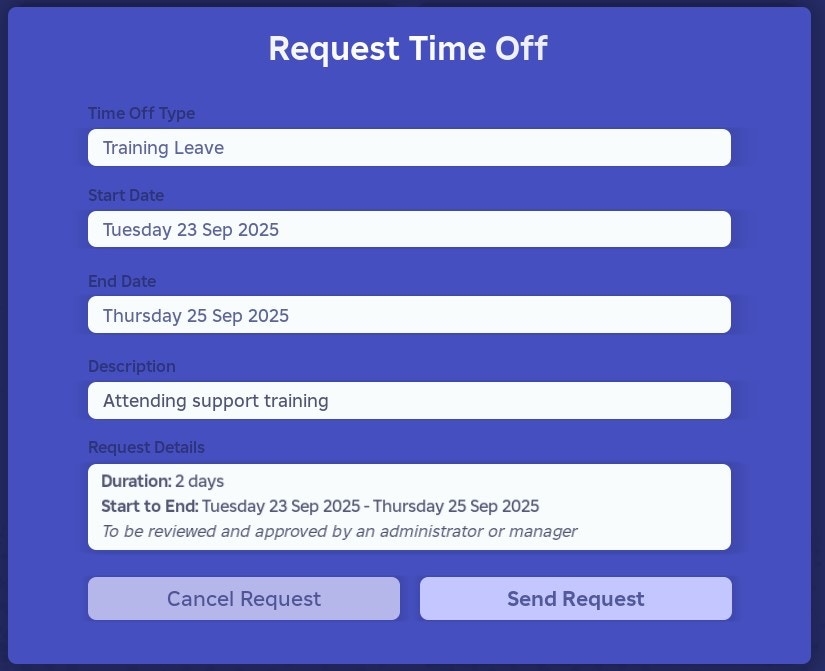
Interact with the **Request Time Off** button located on your centralised home page dashboard.
**Organisations can manage the types of time off you can request, but the default options are listed below**
* Personal Leave
* Training Leave
* Holiday Leave
* Relocation Leave
* Other Leave
You must select a **time off type**, which will serve as the reason for your request.
You must select a start date from the provided options
Your organisation might have specific settings which may prevent you from selecting a start date (e.g the start date might be too far in the future, might be too short notice etc)
You must select an end date from the provided options
Your organisation might have specific settings which may prevent you from selecting an end date (e.g the end date you are looking for might be too far in the future)
Optionally, you can enter a **description** to provide additional context for your time off request.
Your organisation may not require descriptions
Once you have completed the steps above, press **Send Request** and the system will do the rest
If there are any issues with your inputs, the system will notify you of the issue
Once you have submitted the request, and it went through, you can check the status by clicking on [**Your Profile**](https://docs.jadevelopment.co.uk/shiftsync/fp/yourprofile#time-off-requests)