> ## Documentation Index
> Fetch the complete documentation index at: https://docs.jadevelopment.co.uk/llms.txt
> Use this file to discover all available pages before exploring further.
# Reports
> Reports provide a wide range of insights and data to help monitor and evaluate staff performance. ShiftSync offers various types of reports, including top clock-ins by employee, daily summaries, individual employee reports, and much more.
View the top clockins by employee
View a summary for a specific day
View any employee's summary
View a summary on time off statistics
View the top hours by employee
View the date of registration for staff members
## Report Contents
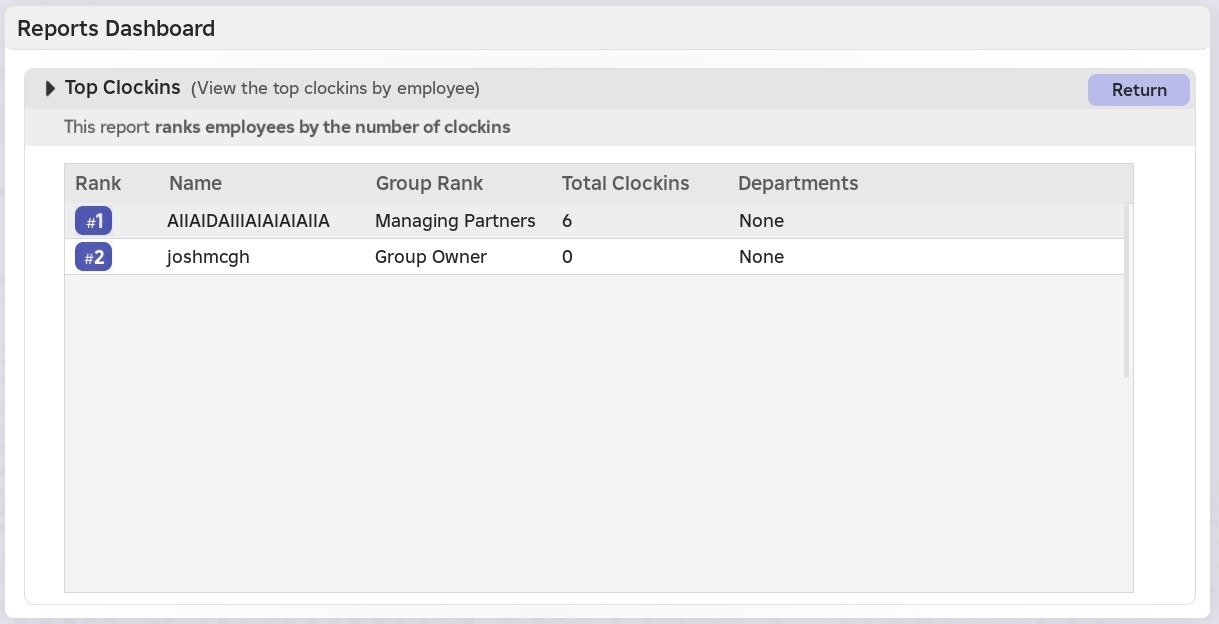
This report ranks employees according to their **total number of clock-ins**.
* Each user is assigned a rank based on their overall clock-in count.
* The report also displays each user’s department, highlighting the performance of the department as a whole.
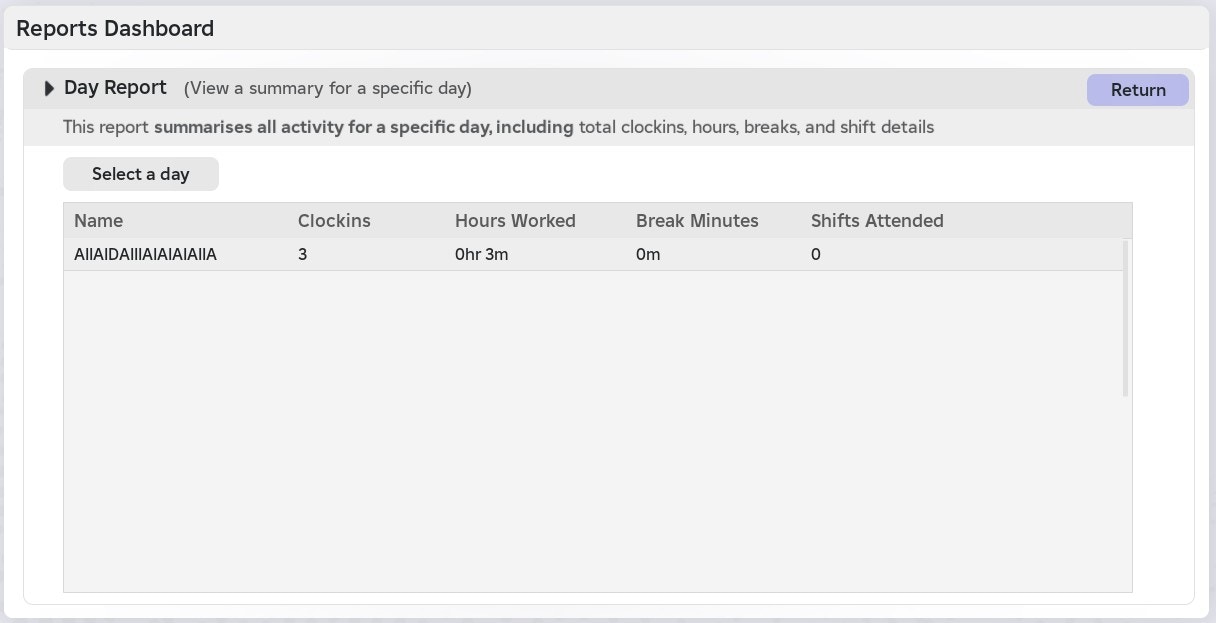
 This report provides a **summary of all activity for a specific day**, including total clock-ins, hours worked, breaks, and shift details.
* Each user is shown with their name, clock-ins for that day, hours worked, total break minutes, and the number of shifts attended.
You can select any day within the \*\*past 30 days \*\*using the dropdown provided
This report provides a **summary of all activity for a specific day**, including total clock-ins, hours worked, breaks, and shift details.
* Each user is shown with their name, clock-ins for that day, hours worked, total break minutes, and the number of shifts attended.
You can select any day within the \*\*past 30 days \*\*using the dropdown provided
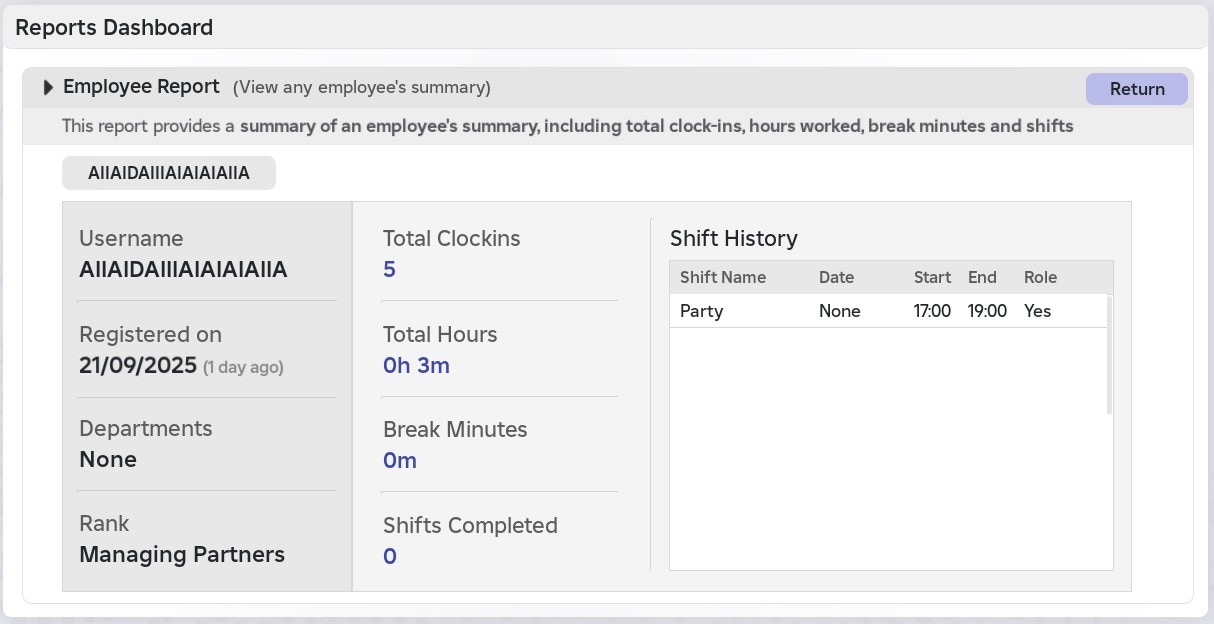
 This report provides a detailed summary of an employee, including their total clock-ins and shift history.
**Each employee report displays:**
* Username
* When they registered with your ShiftSync system
* All departments they are part of
* Group rank
* Total clockins, total hours, total break minutes, and total shifts completed
You can **view all staff members registered on your system**, regardless of whether they are currently in-game.
Some data from an active game session **may not appear in the employee report**, as the report may not reflect real-time updates
## Shift History
> The Shift History shows **each shift associated with the staff member**, including the shift name, date pattern, start and end times, and any assigned role within the shift.
This report provides a detailed summary of an employee, including their total clock-ins and shift history.
**Each employee report displays:**
* Username
* When they registered with your ShiftSync system
* All departments they are part of
* Group rank
* Total clockins, total hours, total break minutes, and total shifts completed
You can **view all staff members registered on your system**, regardless of whether they are currently in-game.
Some data from an active game session **may not appear in the employee report**, as the report may not reflect real-time updates
## Shift History
> The Shift History shows **each shift associated with the staff member**, including the shift name, date pattern, start and end times, and any assigned role within the shift.
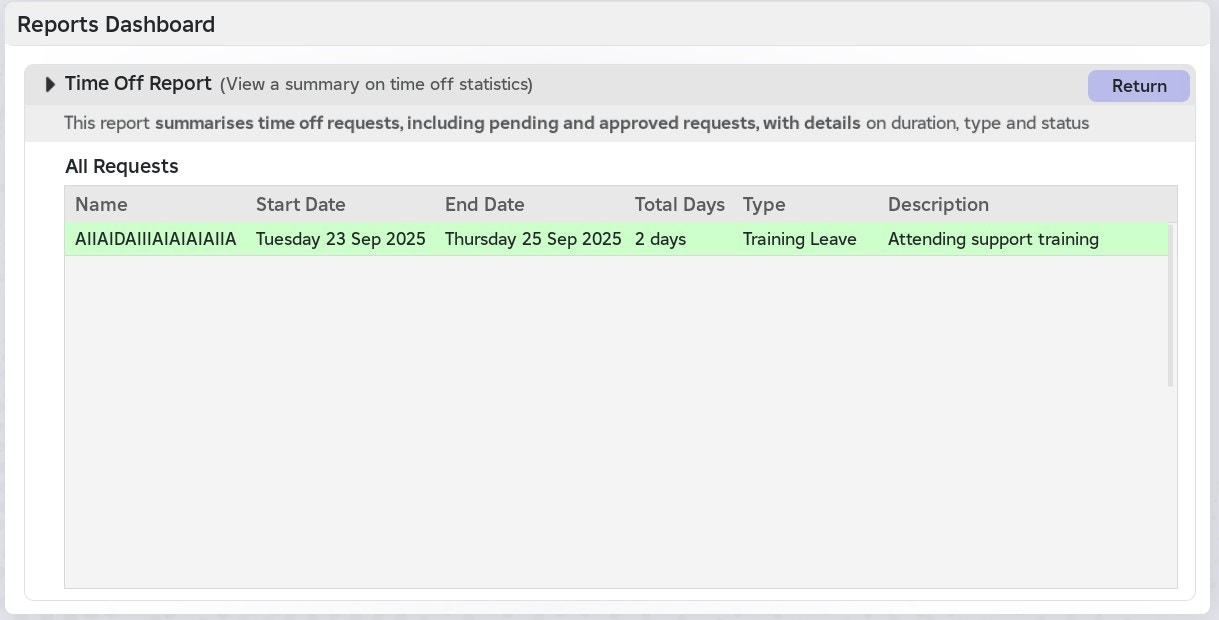
 This report provides a summary of time off requests, including **both pending and approved** requests, with details on duration, type, and status.
* Each time off request displays the user’s name, start date, end date, total days, request type, duration, and who last modified the request.
This report presents all time off requests on a single page and **does not retain any deleted requests.**
This report provides a summary of time off requests, including **both pending and approved** requests, with details on duration, type, and status.
* Each time off request displays the user’s name, start date, end date, total days, request type, duration, and who last modified the request.
This report presents all time off requests on a single page and **does not retain any deleted requests.**
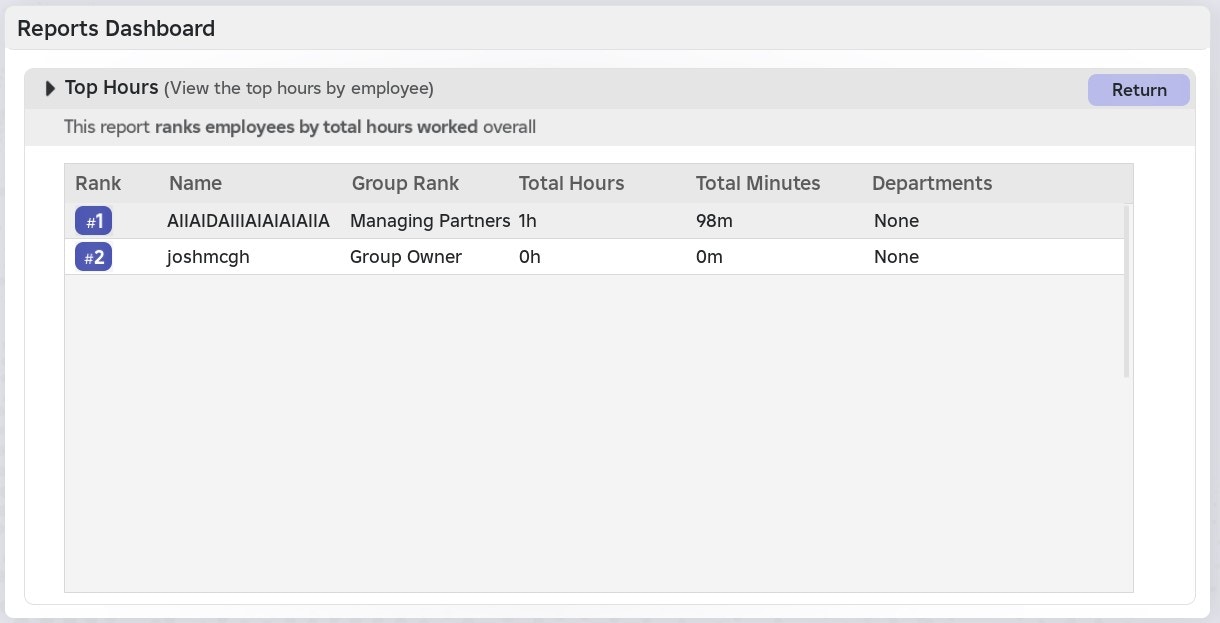
 This report ranks employees **based on their total hours worked** overall.
Each user's record displays:
* A rank
* Username
* Group rank
* Total hours
* Total minutes
* Departments
This report ranks employees **based on their total hours worked** overall.
Each user's record displays:
* A rank
* Username
* Group rank
* Total hours
* Total minutes
* Departments
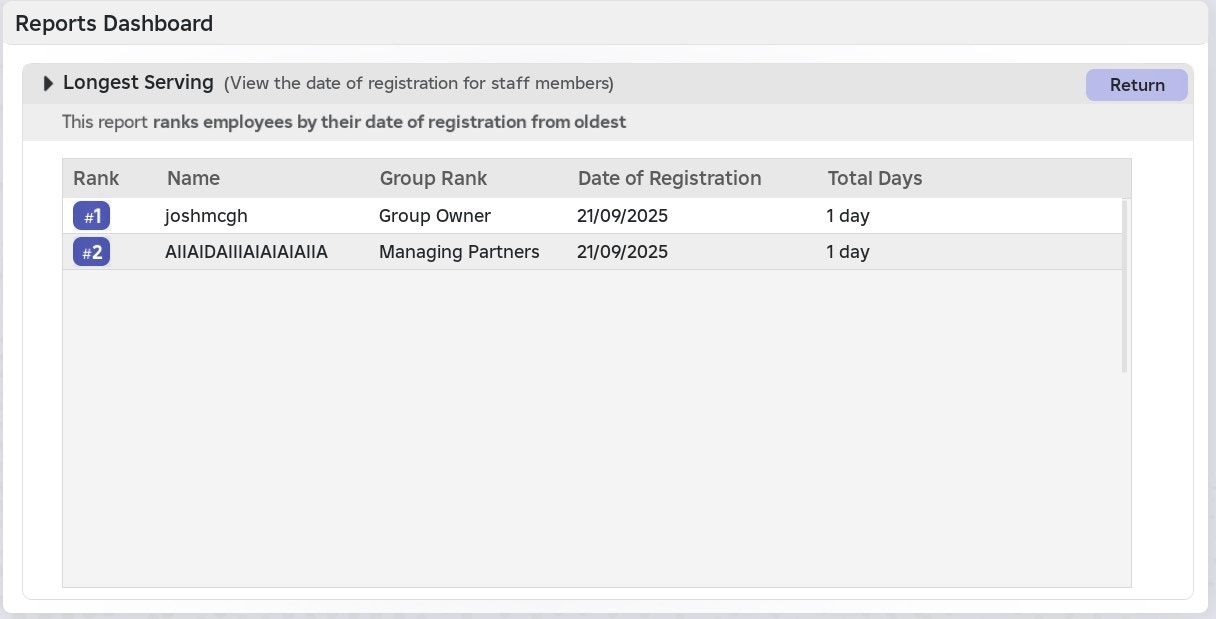
 This report **ranks employees by their date of registration from oldest**
Each user's record displays their rank, username, group rank, date of registration, and how many days they have been registered with your ShiftSync system
This report **ranks employees by their date of registration from oldest**
Each user's record displays their rank, username, group rank, date of registration, and how many days they have been registered with your ShiftSync system