> ## Documentation Index
> Fetch the complete documentation index at: https://docs.jadevelopment.co.uk/llms.txt
> Use this file to discover all available pages before exploring further.
# Features
> A quick runthrough of all of the current features available for Placeables
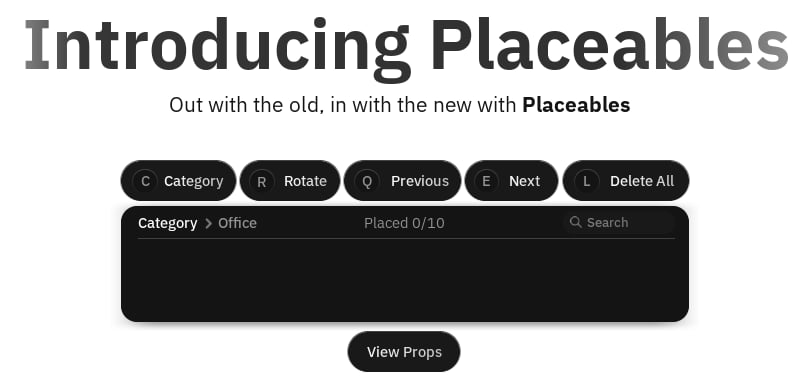 Manage everything from props, categories, permissions, keybinds, limits, notifications, all in one place
Organise props into categories, for example props for construction, or classrooms
Ghost previous, prop rotation and customisable grid snapping, plenty of options are available including undo and delete all
Dedicated system for editing props, allowing users to click any prop they own to move, delete or copy it. Authorised users can also edit any prop
Each category can be locked to specific group ranks or in-game teams, restricting access to certain props
Add configurable role IDs or individual user IDs that can bypass limits, cooldowns, restrictions
Players can have a configurable maximum number of props available to place, as well as a server prop cap
Dedicated built in support with adjustments for anyone using a mobile device
Fully fledged customisation for mapping keybinds to actions however you want, for example changing Cancel Placement
Ability to easily insert your own assets and props with ease, even without configuring them individually
With Placeables, you will be given exclusive items and assets from our range of packs
Ability to implement restricted area or zones that prohibit placement of any prop within it
Optional DataStore saving if you'd like props that have been placed to save continuously
Manage everything from props, categories, permissions, keybinds, limits, notifications, all in one place
Organise props into categories, for example props for construction, or classrooms
Ghost previous, prop rotation and customisable grid snapping, plenty of options are available including undo and delete all
Dedicated system for editing props, allowing users to click any prop they own to move, delete or copy it. Authorised users can also edit any prop
Each category can be locked to specific group ranks or in-game teams, restricting access to certain props
Add configurable role IDs or individual user IDs that can bypass limits, cooldowns, restrictions
Players can have a configurable maximum number of props available to place, as well as a server prop cap
Dedicated built in support with adjustments for anyone using a mobile device
Fully fledged customisation for mapping keybinds to actions however you want, for example changing Cancel Placement
Ability to easily insert your own assets and props with ease, even without configuring them individually
With Placeables, you will be given exclusive items and assets from our range of packs
Ability to implement restricted area or zones that prohibit placement of any prop within it
Optional DataStore saving if you'd like props that have been placed to save continuously