> ## Documentation Index
> Fetch the complete documentation index at: https://docs.jadevelopment.co.uk/llms.txt
> Use this file to discover all available pages before exploring further.
# Browse Console Page
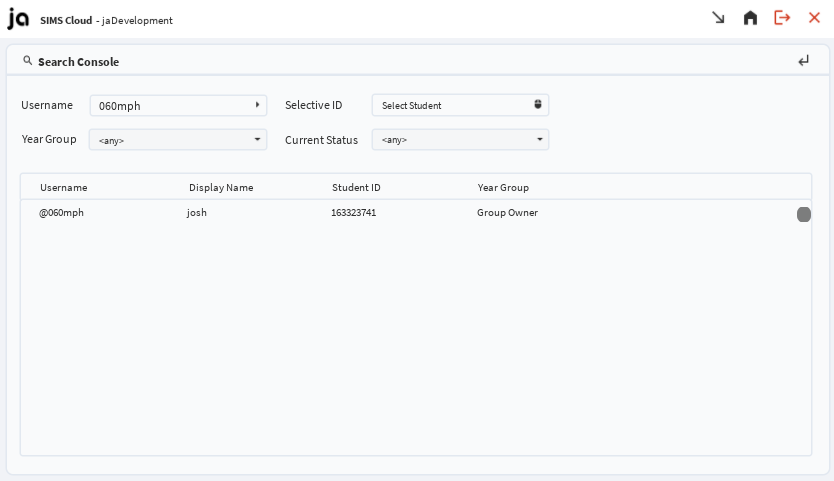
> The Browse Console Page allows direct access to every student, including their individual student profiles. This can be accessed by hovering over a specific student using Selective ID, and clicking on them or searching them up via username
Search Console: **This allows staff/administrators instant access to every student in the server**. To view the student overview page (which also includes individual behaviour management), you must use selective ID and hover over a user and left-click on their avatar or click on the username when hovering over a student
Every student is listed on an **individual tab** which displays their username, display name, year group & user/luasims ID, and is filtered by year group and status.